Affiliate disclosure: As an Amazon Associate I earn from qualifying purchases.
Research-based comparison · Updated October 25, 2026 · Manufacturer imagery credited below. We have not physically tested these products.
Two computers on one desk create an ordinary annoyance: the keyboard is connected to the wrong machine. A USB sharing switch can remove that repeated cable shuffle. But the UGREEN 30768 and Sabrent USB-SW30 organise the connections differently, and that difference matters more than the logo.
Quick verdict: Choose the UGREEN 30768 when you want several USB accessories connected directly to one switch. Shortlist the Sabrent USB-SW30 for one shared accessory, or when you already own a suitable hub. For switching monitors as well, evaluate a video-capable KVM instead. Start with our complete home-office setup guide if you are planning the whole desk.
UGREEN 30768 vs Sabrent USB-SW30 at a glance
| Buying question | UGREEN 30768 / US216 | Sabrent USB-SW30 |
|---|---|---|
| Computer connections | Two hosts | Two hosts |
| Peripheral arrangement | Four USB-A device ports | One USB-A device port; hub expansion possible |
| Advertised data rate | Up to 5Gbps, shared | Up to 5Gbps |
| Control | Physical switching button | Physical switching button and host LEDs |
| Monitor switching | No | No video connection on this model |
| Best starting point | Keyboard, mouse and additional accessories | One printer, one accessory or an existing hub |
These are advertised capabilities, not our benchmark results. A 5Gbps interface rating does not mean a drive will transfer files at that rate, and it does not guarantee compatibility with every webcam or audio interface.
Why UGREEN makes more sense for a complete peripheral set
Count the cables you want to share. A separate wired keyboard and mouse already require two device connections. Add a printer or receiver and the direct-port arrangement becomes useful. The practical benefit is avoiding an extra hub purchase and finding somewhere to put it. Before choosing the rest of your desk accessories, use our desk cable-management guide to plan the switch position and cable runs.
The trade-off is that a shared accessory moves with the selected computer. If you want a microphone permanently available to your work laptop while sharing only the keyboard and mouse, leave that microphone outside the switch. Decide what should move before connecting everything.
When the Sabrent is the cleaner choice
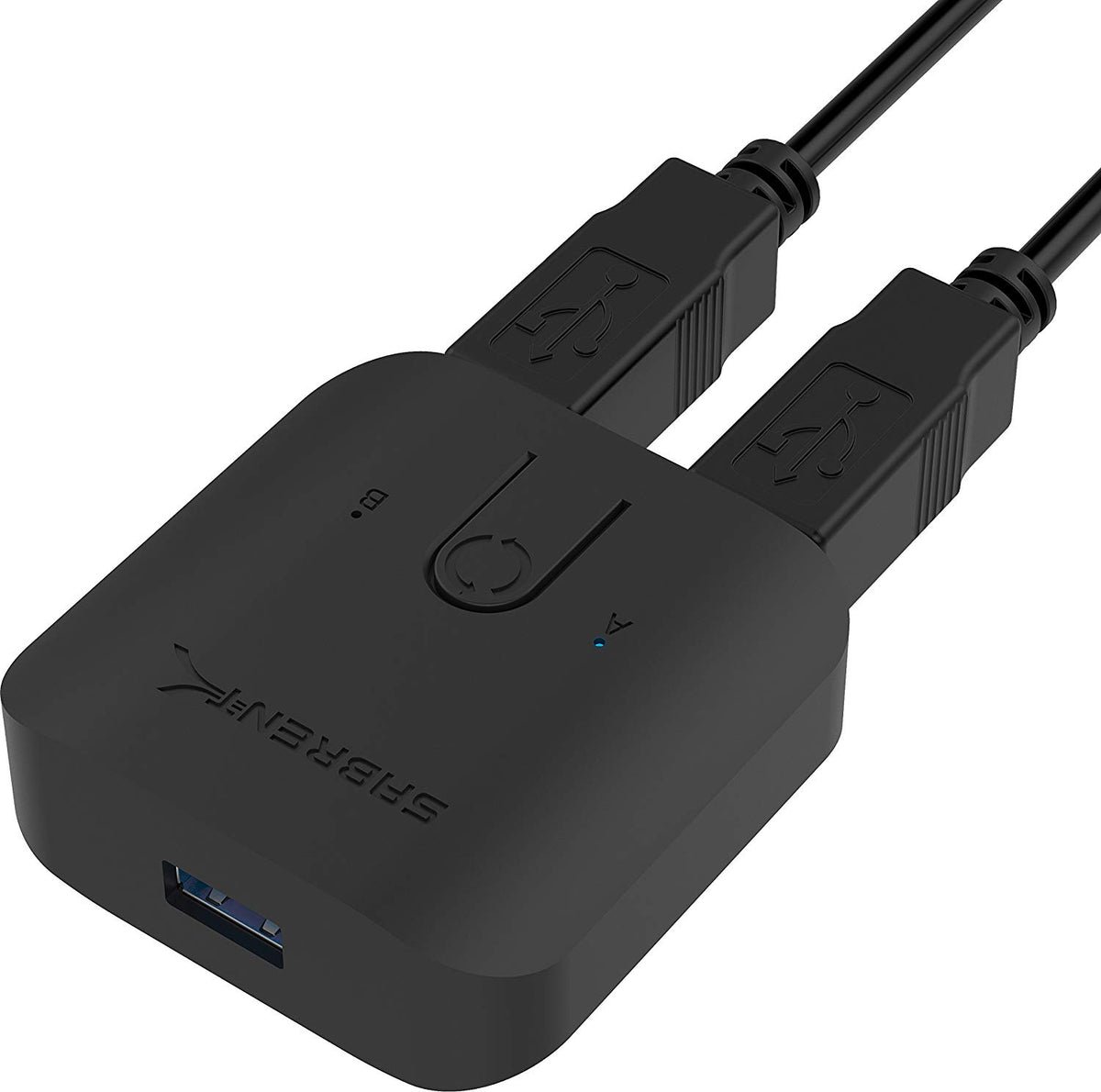
If your only problem is moving a USB printer between two computers, four peripheral ports may add little. The Sabrent is a sensible shortlist item for that simpler job. It also deserves consideration when an existing compatible hub already holds your accessories.
Compare the total basket, including the hub and any host adapters. A cheaper switch can become a more expensive setup once missing parts are added. Sabrent documents hub compatibility, button switching and host indicators on its official product page. That documentation does not establish how your particular hub and devices will behave together.
The important limitation: your monitor stays separate
Neither arrangement supplies the video connections needed to move your display between computers. You can connect each computer separately to a monitor with multiple inputs and change its input manually. If one-button display and peripheral switching is the goal, compare KVMs that explicitly support your resolution, refresh rate and display connections.
Likewise, a USB sharing switch is not a laptop docking station. It does not automatically provide charging, Ethernet or extra video outputs. Our Anker 555 hub compatibility guide explains the separate checks for display output and charging. Readers planning display connections should also use our MacBook two-monitor compatibility guide.
Check these details before ordering
- Match the model number, not just the brand: UGREEN sells several switch generations.
- Check host ports and included cables, particularly on USB-C-only laptops.
- Check accessory power requirements against the exact manual.
- For a managed work computer, check your employer’s USB-device policy.
- Check regional delivery, warranty and a usable return window.
A practical check when your switch arrives
Begin with a keyboard and mouse. Confirm they work on each computer, then check switching after sleep and wake. Add other devices one at a time. For meetings, verify the selected camera and microphone inside the actual meeting app after changing computers; do not assume an ongoing call will survive a switch.
For storage, stop transfers and safely eject the drive before changing hosts. The drive is accessible to the selected computer, not to both computers simultaneously. Test with expendable files before placing important work on a shared storage workflow.
Pros, limitations and best fit
UGREEN 30768
- Advantage: four direct device connections can avoid buying a separate hub.
- Limitation: no monitor switching; all connected peripherals move to the selected host.
- Best for: sharing a keyboard, mouse and additional USB accessories.
Sabrent USB-SW30
- Advantage: straightforward single-device switching, with hub expansion documented by the manufacturer.
- Limitation: a separate keyboard and mouse generally need a hub or shared receiver.
- Best for: one printer or an existing compatible hub.

Frequently asked questions
Will both computers use the printer at once?
A sharing switch selects one host at a time. It does not turn the printer into a network print server. Each computer may still need the printer’s software.
Which one reconnects faster?
We have not measured reconnection times. USB devices, operating systems and applications can behave differently; we do not award a speed winner without testing.
Is this a good choice for a webcam?
It can be a candidate, but confirm the device’s requirements and test its actual video mode and application. A keyboard working successfully does not prove that a higher-bandwidth device will work.
Which should you buy?
Choose the UGREEN for multiple direct peripheral connections. Choose the Sabrent for a single accessory or a compatible hub you already own. Buy neither if your unresolved problem is video switching. For either model, the right purchase is the arrangement with the fewest missing parts and a return policy that lets you check your actual equipment.
Sources and product documentation
Use these references to confirm the exact model and package contents. Manufacturer specifications are advertised capabilities, not our test results.
- UGREEN 30768 product listing — model identification and device ports
- UGREEN Canada — 2-in-4-out sharing-switch documentation
- Sabrent USB-SW30 — specifications, included cables and manual
Featured product image: Sabrent. Manufacturer photograph, not a FitOnear hands-on image.