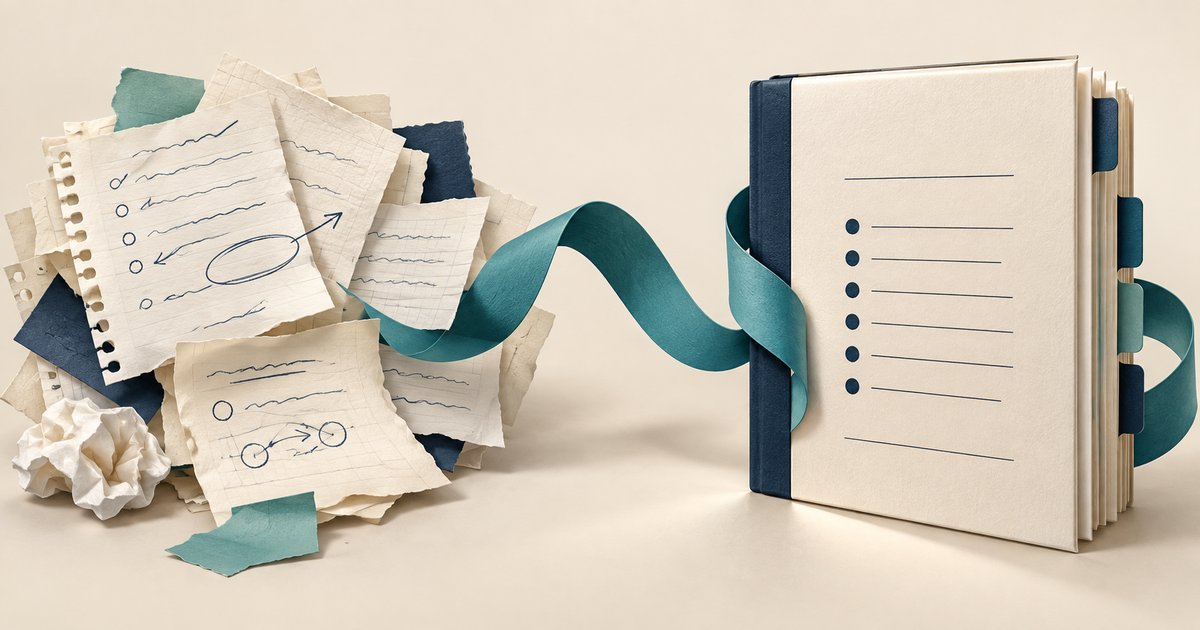
Use AI to organize an observed process into a draft SOP, then have the process owner resolve gaps and test the instructions. Do not let the assistant invent approvals, access rights, deadlines, or recovery steps just to make the document look complete.
A standard operating procedure, or SOP, describes how a repeatable task is performed. This guide is for small teams turning rough notes into usable instructions. The finished output should tell an authorized colleague when to start, what to do, how to recognize success, and when to stop and ask for help.
A release check for the AI-drafted SOP
Can an AI-drafted SOP be published immediately?
Treat it as a draft until the process owner checks the instructions against observed work and an authorized colleague tests them. Mark missing evidence as an open question. A polished sentence can still change an approval, omit a condition or assign authority that the writer does not have.
Practical check: Before release, compare five items with the source notes: trigger, owner, sequence, exception and completion evidence. Ask the reviewer to demonstrate one normal case and explain one stop condition. Record the approved revision and unresolved issues rather than describing an untested document as ready.
Choose one procedure with a clear boundary
“Document customer operations” is too broad for a first attempt. “Prepare the weekly open-ticket report from the approved export” is manageable. It has a start, a source, a series of checks, and a defined output.
Atlassian’s SOP guidance distinguishes a procedure from a simple checklist by including purpose, responsibilities, tools, and approvals. Use that distinction to keep the document useful: a list of clicks is not enough when the operator must judge whether the input is valid.
Decide who will follow the procedure and what they already know. Instructions for an experienced analyst can refer to an approved report location. Instructions for a new starter may also need to explain how to request access and where to find the report owner.
Capture the work before polishing the wording
Observe someone performing the task or record your own steps while doing it. Note the actual input, the decision points, the expected result, and the exceptions. A procedure reconstructed from memory often skips the small checks that experienced people perform automatically.
Atlassian’s process-documentation guide recommends gathering information from people who perform the work and getting feedback from users. That is the evidence-gathering stage; the AI assistant should work from those observations rather than substitute for them.
Separate confirmed facts from questions in your notes. “Supervisor reviews the report” is incomplete if nobody knows which supervisor, what they review, or what happens when they are absent. Keep those gaps visible until the responsible person answers them.
FitOnear’s note-taking app guide can help with the capture method. Use approved storage for internal details and follow the boundaries in your team AI policy before submitting notes to an assistant.
Give the assistant an evidence-bound drafting job
The prompt should define what the assistant may do: reorganize, simplify language, identify ambiguity, and suggest questions. It should also define what it may not decide. A plausible instruction is still wrong if it grants an operator authority they do not have.
Turn the supplied process notes into an SOP draft for an authorized colleague. Use only confirmed facts for operational steps. Include purpose, scope, roles, prerequisites, numbered steps, expected results, stop conditions, records, owner, and review triggers. Put missing or contradictory information in a separate questions section. Do not invent approvals, deadlines, system permissions, commands, retention periods, or fallback actions. Keep each step observable and use plain language. Provide a separate mapping from each step to the source note that supports it.
The questions section belongs to the drafting process, not the released SOP. Resolve material questions before approval. If the process is still unknown, the correct output is an incomplete draft under review, not a confident instruction sheet.
Ask the model to preserve uncertainty explicitly. For example, “confirm who may release the report” is safer and more useful during drafting than silently naming a manager. FitOnear’s AI fact-checking workflow provides a broader method for challenging unsupported claims.
Worked example: a weekly report procedure
The following is a complete hypothetical procedure for an invented training team. It demonstrates structure; it is not an instruction to access or change a real organization’s systems.
Purpose and scope
Prepare a weekly summary of open training-support tickets for the team lead. The procedure starts with an approved CSV export and ends with a reviewed PDF placed in the team’s release folder. It does not change ticket status or send external communications.
Roles and prerequisites
The report preparer must have read access to the export and write access to the working folder. The team lead reviews and releases the report. The preparer needs the current reporting dates, approved report template, and the source export. Access problems go to the team’s normal support channel; credentials are never placed in the SOP.
Procedure
- Confirm the reporting window. Read the period specified in the team schedule. If the dates are missing or contradictory, stop and ask the team lead.
- Preserve the source. Copy the approved export into the restricted source folder without editing it. Record its filename and capture date.
- Import the working data. Use the agreed import query, preserving ticket identifiers as text. Confirm the expected column names and compare the row count with the export.
- Check the figures. Compare the open-ticket total with a manual count on the same source. Investigate differences before continuing.
- Prepare the report. Fill the approved template with the reporting window, total, and a short explanation of unresolved issues. Do not include personal details that the audience does not need.
- Request review. Place the candidate in the review folder and notify the team lead through the agreed internal channel. Record the candidate version.
- Release after acceptance. The team lead confirms the reviewed version and places the PDF in the release folder. The preparer records the release filename in the report index.
Stop conditions and records
Stop for missing columns, unreadable source text, a row-count mismatch, unexplained totals, or absent approval. Retain the source, working report, review decision, and release copy according to the team’s existing retention policy. The team lead owns the procedure and reviews it whenever the export format, template, or approval route changes.
Notice what this example does not do: it does not tell the preparer to repair source records, guess missing dates, or release a report because the reviewer is unavailable. The authority boundary is part of the procedure.
Check each instruction for observability
Replace vague actions with things the operator can see or demonstrate. “Ensure the data is good” is difficult to follow. “Compare the imported row count with the source export and stop if they differ” gives the person a specific check and a response.
| Weak instruction | More useful instruction |
|---|---|
| Validate the report. | Compare the open-ticket total with a manual count from the same export. |
| Escalate if necessary. | Stop for missing columns and ask the report owner to confirm the source format. |
| Save the final file. | Save the approved PDF in the release folder and record its version in the index. |
| Use the latest template. | Open the template linked from the controlled procedure index. |
Optional reference reading
If you want a longer reference on writing standard operating procedures, you can browse the book search below. Compare sample pages for clear instructions, review steps and exception handling; a template still needs your process owner’s approval.
Affiliate disclosure: As an Amazon Associate, FitOnear earns from qualifying purchases.
Browse related books on Amazon ↗
This opens Amazon.com search results, not a specific reviewed or tested book. Check the author, edition, sample pages, format, seller, delivery and return terms. No purchase is required to follow this guide.
Do not turn every sentence into a long instruction. Keep background separate from actions so the operator can scan the steps while working. Use a table or diagram only when it makes a decision easier to understand.
Run a cold-read test
Ask an authorized colleague who did not write the procedure to use it with harmless test inputs. Observe where they hesitate, guess, or ask for information. Those moments reveal missing context better than another grammar pass.
For the sample procedure, test a normal export, a missing column, and a deliberately incorrect total. The expected behavior is to complete the normal case and stop the defective cases at the specified point. Do not test failure handling by damaging live data.
Use the CSV preservation checks and formula test examples when those operations are part of the procedure. Keep their scope clear: a formula test does not approve the wider business process.
Approve and maintain the procedure
The EPA’s SOP preparation guidance provides an established example of review and document control within a quality system. Its domain is environmental quality work; the useful general lesson here is to make ownership, revision, and acceptance visible rather than treating a document as permanently correct once written.
Record the owner, approved revision, effective date, and what triggers a review. Useful triggers include a changed application screen, a new input format, a failed rehearsal, or repeated questions from operators. A calendar review can supplement those triggers, but should not delay correction of a known error.
Keep obsolete copies from being mistaken for current instructions. Link to the controlled version, archive earlier releases appropriately, and update training material when the procedure changes. AI can help compare revisions, but a person should verify the operational differences.
Separate procedure changes from wording changes
When AI rewrites an existing SOP, ask for a change list that distinguishes editorial adjustments from changed behavior. Replacing a long sentence with two short sentences may preserve the process. Replacing “request approval” with “notify the manager” changes the control, even if the new wording reads more smoothly.
Review verbs, conditions, ownership, and sequence especially carefully. A missing “only after” can turn a controlled step into an unconditional action. A shortened exception can remove the instruction to stop. Compare the revised text with the approved procedure rather than judging it only as a standalone document.
Test the changed branch with a safe scenario. If the revision changes who handles a failed export, ask the receiving person to locate the escalation route and explain their authority. Keep the approved revision and the reason for change together. The useful output is a procedure that still reflects the agreed work, with clearer language—not merely a document that looks newer.
Your next procedure
Choose one recurring task that currently requires someone to ask you how it works. Observe one real run, capture the decisions, and draft from that evidence. Release the SOP only after another authorized person can follow it and correctly recognize when to stop.
Prepared with AI assistance and authoritative sources reviewed September 30, 2026. Examples are illustrative, not hands-on test results. The featured image is an AI-generated editorial illustration, not a product screenshot.