
Research checked 19 October 2026. Prepared with AI assistance. Examples and worksheets are illustrative, not measured product test results. The hero is an AI-generated editorial illustration; the infographic summarises the original checklist below.
Quick answer: Open the citation, locate the supporting passage, then compare the claim’s wording, scope and date with the original source. Check what was imported and whether relevant sources disagree. A real source can still be attached to a conclusion it does not establish.
An AI answer with ten citation markers looks more reassuring than a paragraph without them. But the useful question is not “does this have references?” It is “which exact part of this sentence can I defend from this exact passage?”
This guide uses NotebookLM-style source-grounded research as the example. Google’s current linked help pages use the name Gemini Notebook; product naming and interface labels can vary. The checking method applies to other research assistants too. It focuses on the quality of evidence rather than a comparison of brand features.
A real citation can still be weak evidence
Separate source existence from source support. The document may be genuine, its author credible and its citation link functional, while the sentence built from it is too broad.
| Failure | Illustrative claim | What the source actually establishes |
|---|---|---|
| Scope expansion | “All employees can use the feature” | A pilot is available to one department |
| Time mismatch | “The service costs 20 per month” | A dated launch announcement describes an introductory offer |
| Inference presented as fact | “The new workflow reduced errors” | A team reported liking the interface; no error comparison was supplied |
The repair is often a narrower sentence, not another citation. “The announcement describes a pilot for the support team” is defensible where “everyone can use it” is not.
The seven-check source audit
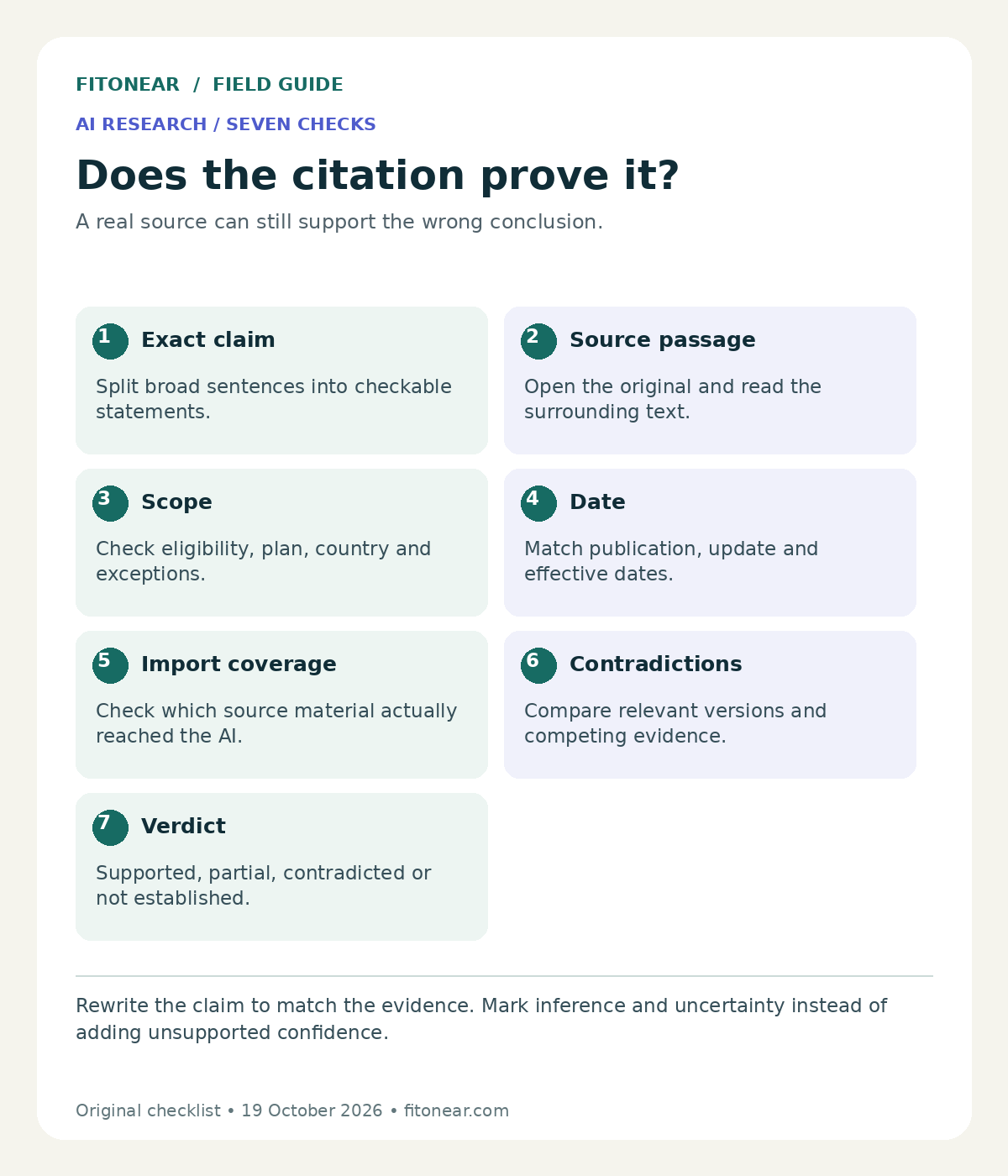
- Write the exact claim: separate a long answer into statements that could independently be true or false. “Available, inexpensive and compliant” contains several claims.
- Locate the passage: open the source and read the surrounding paragraph. If a citation references an entire short document, find the relevant sentence manually.
- Match the scope: compare people, product plan, country, conditions and exceptions. A consumer help page may not establish an enterprise policy.
- Check the date: distinguish publication, update and effective dates. Decide which version applied to the question you asked.
- Inspect import coverage: confirm the assistant received the necessary text, attachments, tables and notes. Open the original where the extracted view is incomplete.
- Look for contradictions: compare the strongest relevant primary sources. Do not silently average incompatible statements or let the longest document win.
- Assign a verdict: mark supported, partly supported, contradicted or not established. Rewrite or remove the claim accordingly.
Google’s source-import help describes differences between source types: web imports capture page text rather than every embedded item, and Google-file imports omit comments and footnotes. Its current guidance also explains source availability and Drive sync. These details are reasons to inspect the imported source rather than assuming it exactly reproduces the original.
Do not generalise one import rule to every file format or plan. For current source limits and product behaviour, start with the official FAQ and the help page linked inside your account. Avoid building a workflow around an old screenshot of an interface.
Worked example: which policy applies?
Fictional scenario: A notebook contains a January remote-work policy and a March amendment. January allows two remote days per week. March allows three for a named pilot group and says the original policy continues for everyone else.
The AI answer says: “Employees can work remotely three days per week,” citing the March amendment. The source exists and contains “three days,” but the claim has lost the eligibility condition. A correct answer needs the pilot group and continuing rule.
| Claim | Evidence check | Verdict and repair |
|---|---|---|
| Everyone gets three days | March limits the change to the named pilot group | Contradicted: restore eligibility |
| The January policy is obsolete | March says the general policy continues | Contradicted: retain the baseline |
| The pilot improves productivity | Neither document reports an outcome | Not established: remove the claim |
Repaired answer: “The January policy permits two remote days. The March amendment permits three for the named pilot group; the baseline continues for other employees. These documents do not establish whether the pilot improved productivity.”
This example is intentionally simple. It tests the habit of preserving exceptions before you apply the process to a complicated report, course reading list or software purchase.
Ask for an evidence table before polished prose
Use only the selected sources. Make one row per factual claim, with the claim, source title, supporting passage location, applicable date and limitations. Mark missing evidence “not established”. List contradictions separately. Preserve eligibility conditions and exceptions. Label your own inferences. Do not invent passages, page numbers or references. After the table, write a short answer using only supported claims.
This prompt helps structure review; it does not guarantee accurate quotations or complete retrieval. Open the passages yourself. If the generated table includes a page number, confirm whether it means the PDF page position or the number printed on the document.
When the answer depends on one document, temporarily narrow the selected sources and ask a smaller question. When it depends on conflicting versions, include both and explicitly ask which change supersedes which rule. Keep uncertainty visible where the documents do not resolve it.
Keep a claim ledger for reusable research
Claim:
Source title / URL / document identifier:
Publication / update / effective date:
Supporting passage and location:
Scope and exceptions:
Source import checked: yes / no
Conflicting evidence:
Verdict: supported / partial / contradicted / not established
Rewritten sentence:
Reviewer and review date:
Save the ledger beside your finished article or decision brief. It gives the next reviewer a route back to evidence instead of a polished paragraph they must reverse-engineer. Avoid storing sensitive source extracts in a public document or sharing a notebook beyond the audience authorised to see its contents.
Common questions
Does a citation mean the answer is correct?
No. It provides a route to inspect evidence. The claim may still misstate scope, omit a condition or combine sources incorrectly.
Should I upload more sources to improve the answer?
Add relevant, readable evidence that fills a gap. More overlapping documents can also add noise and version conflicts. Start with the question and identify what evidence would actually resolve it.
How much checking is enough?
Match effort to the consequence. Check the central claims and any figures, dates or eligibility rules you will rely on. For legal, medical or financial decisions, an AI research workflow does not replace qualified review.
Build the habit: use the five-minute fact-checking workflow for a quick first pass. Connect the ledger to your AI second-brain system, choose a note-taking method that preserves sources, and follow the student AI-use guide for coursework. The prompt builder can help turn the example into instructions for your own task.