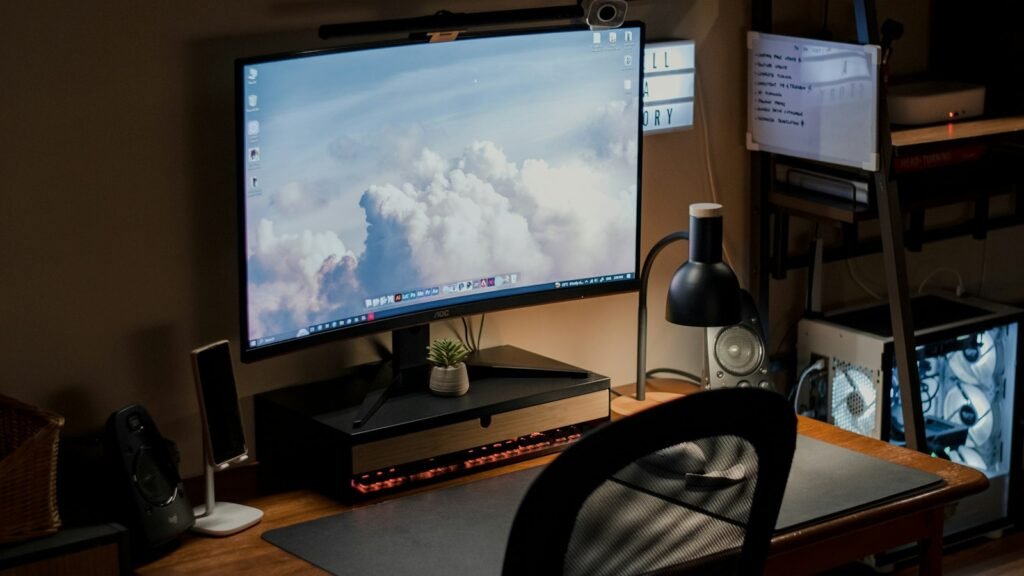
Wes Bos is a full-stack JavaScript teacher, course creator and co-host of the Syntax podcast. He also started the whole “/uses page” trend that thousands of developers now copy. His setup is built around two things: lots of sharp screen space for code, and a desk that doubles as a recording studio without a mess of cables.
Monitors and computer
| Gear | How Wes uses it | |
|---|---|---|
| BenQ RD280U (28.2″, 3:2) | His main monitor; he’s a big fan of the tall 3:2 ratio for code | Search Amazon for on Amazon |
| BenQ RD320UA (32″ 4K) | Second monitor, mounted vertically on his left | Search Amazon for on Amazon |
| MacBook Pro 16″ (M1 Max) | His main machine, kept open as a third screen | Search Amazon for on Amazon |
| Rain Design mStand | Lifts the laptop to screen height | Search Amazon for on Amazon |
| CalDigit TS4 | Monitors, ethernet, drives, webcam and power all go through one cable | Search Amazon for on Amazon |
| Amazon Basics 10-port USB hub | Extra ports so everything can run at once | Search Amazon for on Amazon |
Desk, chair and input
| Gear | How Wes uses it | |
|---|---|---|
| Herman Miller Aeron | His chair (polished aluminum) | Search Amazon for on Amazon |
| Rollerblade-style office chair wheels | He calls swapping to these his best upgrade ever | Search Amazon for on Amazon |
| Butcher block desktop (8 ft oak) | His desk is a solid oak countertop on legs | Search Amazon for on Amazon |
| Apple Magic Keyboard with Numeric Keypad | He finds mechanical keyboards too loud for recording | Search Amazon for on Amazon |
| Logitech MX Master | His mouse | Search Amazon for on Amazon |
| Bose QC35 + AirPods Pro | Headphones at the desk, earbuds on the go | Search Amazon for on Amazon |
Camera, lights and audio
| Gear | How Wes uses it | |
|---|---|---|
| Sony RX100 III | Compact camera used as his main video camera | Search Amazon for on Amazon |
| AVerMedia 4K capture card | Connects the camera to his Mac; he finds it more stable than a Cam Link | Search Amazon for on Amazon |
| Logitech C920 | His webcam | Search Amazon for on Amazon |
| amaran 150c (x2) | RGB LED lights for key and fill | Search Amazon for on Amazon |
| RGB floodlights | Colour backlighting behind him | Search Amazon for on Amazon |
| dbx 286s | Processes and compresses his voice as he records | Search Amazon for on Amazon |
| Universal Audio Volt 1 | USB audio interface into his computer | Search Amazon for on Amazon |
Backups and bag
| Gear | How Wes uses it | |
|---|---|---|
| Synology DS920+ NAS | Stores course videos, with four 4TB Seagate IronWolf drives | Search Amazon for on Amazon |
| Seagate IronWolf 4TB | NAS hard drives | Search Amazon for on Amazon |
| LaCie Rugged portable drive | Local Time Machine backups | Search Amazon for on Amazon |
| Peak Design Everyday Backpack 30L | His travel and gear bag | Search Amazon for on Amazon |
His developer tools
Wes codes in VS Code with his own Cobalt2 theme and the Operator Mono font, uses Warp as his terminal, Raycast as his launcher, BetterTouchTool for window management and shortcuts, and Things for task management.
The budget version
| Instead of | Try | |
|---|---|---|
| BenQ RD280U + RD320UA | Samsung 27″ QHD monitor, rotated vertically for code if you like | Search Amazon for on Amazon |
| CalDigit TS4 | Anker USB-C docking station | Search Amazon for on Amazon |
| Herman Miller Aeron | Keep your chair, add rollerblade wheels. His favourite upgrade costs very little | Search Amazon for on Amazon |
| Sony RX100 III + capture card | Logitech Brio 500 | Search Amazon for on Amazon |
| Two amaran 150c | Neewer softbox lighting kit | Search Amazon for on Amazon |
| Rain Design mStand | Mind Reader monitor stand or any laptop riser | Search Amazon for on Amazon |
Frequently asked questions
What monitor does Wes Bos use?
According to his /uses page, a 28.2-inch BenQ RD280U with a 3:2 aspect ratio as his main monitor, plus a 32-inch 4K BenQ RD320UA mounted vertically.
What keyboard does Wes Bos use?
An Apple keyboard with a number pad. He says mechanical keyboards are too loud for his recordings.
What font and theme does Wes Bos use?
His own Cobalt2 theme in VS Code with the Operator Mono font. The cursive-looking text is Operator Mono’s italic style.
What camera does Wes Bos use?
A Sony RX100 III connected through an AVerMedia 4K capture card, plus a Logitech C920 webcam.
Upgrade your developer desk
Our Power User Desk bundle covers the mouse, keyboard, shortcuts and charging.
Browse bundlesAlso see: Kent C. Dodds’ setup · Developer YouTuber setups compared · Jeff Su’s YouTube setup
Get the Pinterest pin & social images
Ready-made graphics for this article: Pinterest 1000 × 1500; Facebook/X 1200 × 630. Download an image and add your own caption, or use the share buttons to open a composer.