Research-based guide: This page combines published platform specifications, manufacturer and retailer information and editorial planning advice. It does not document a FitOnear hands-on test. Read our buying-guide methodology. Platform limits change often; check each app before you post.
Your desk is already a studio. It has a wall behind you, a surface for a mic and a power strip for a light. What it doesn’t have is a vertical mindset. Most desk setups are built for landscape video calls, so phones end up propped on a mug, lit from the ceiling and shot from below. This guide flips the desk into a vertical creator kit for TikTok, Instagram Reels and YouTube Shorts, using gear you probably own and three upgrades in the right order.
What do you need for a TikTok setup?
On most phones the rear camera is the stronger one. Mount it vertically and frame with a quick test clip.
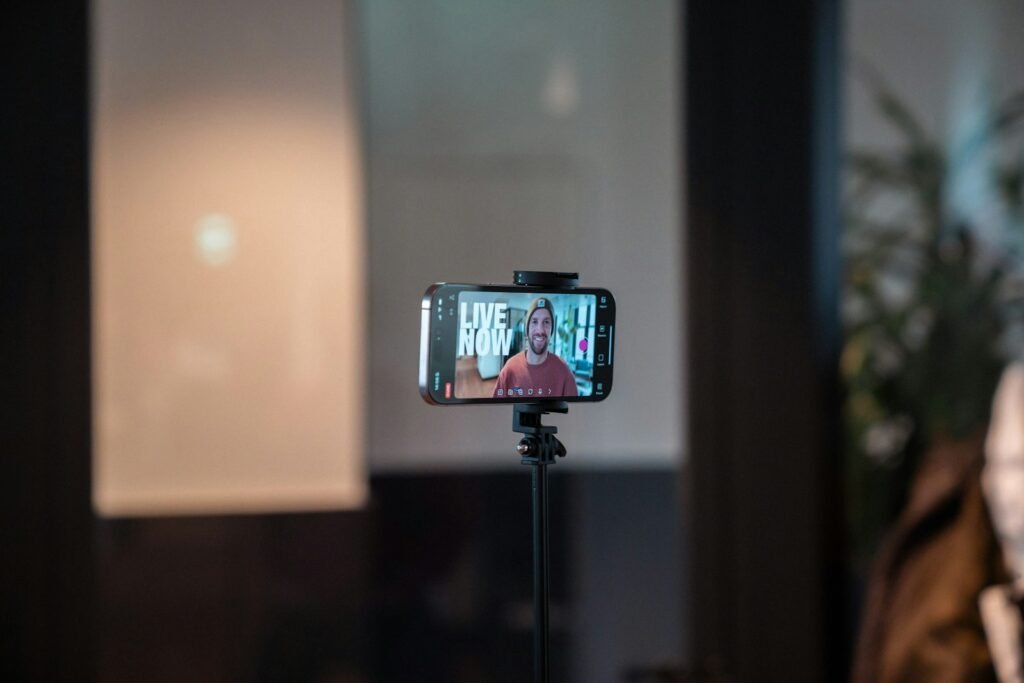
A phone clamp on a tripod or desk arm keeps the lens at eye level, not looking up your nose.
A ring light or LED panel at 45° to one side, about eye level, beats ceiling light every time.
A wireless clip-on or desk mic 15–20 cm from your mouth. Bad audio loses viewers faster than average video.
Vertical video specs for TikTok, Reels and Shorts (November 2026)
All three platforms want the same canvas: 9:16 at 1080×1920. Set it once, then cut one recording for all three apps. Length limits differ:
| TikTok | Instagram Reels | YouTube Shorts | |
|---|---|---|---|
| Aspect ratio | 9:16 | 9:16 | 9:16 (square also accepted) |
| Recommended resolution | 1080×1920 | 1080×1920 | 1080×1920 |
| Max length, recorded in app | Up to 10 minutes | Up to 20 minutes | Up to 3 minutes |
| Max length, uploaded | Up to 60 minutes | Instagram advises keeping Reels for new audiences to 3 minutes or less | Up to 3 minutes |
Sources: Sprout Social video specs guide (updated November 2, 2026) and YouTube Help’s three-minute Shorts page. Limits can vary by account and region.
How to lay out a TikTok desk setup
Set up your desk for TikTok in 15 minutes
- Mount the phone vertically at eye level. Stack books or use a tripod clamp so the lens sits level with your eyes, about an arm’s length away. A camera below your chin is the fastest way to look unflattering.
- Use the rear camera and lock it. Frame with a short test clip, then tap and hold to lock focus and exposure so the picture doesn’t pulse when you move your hands.
- Place one key light at 45°. Put it to one side of your face, centred around eye level and roughly 50–75 cm (20–30 in) away. Lighting guides recommend daylight-balanced 5600K so skin tones stay natural.
- Kill the window behind you. A bright window behind your head turns your face into a silhouette. Face the window or close the blind.
- Get the mic close. Clip a wireless mic to your collar or put a desk mic 15–20 cm from your mouth, just below the bottom of the frame.
- Add one accent glow behind you. A small LED or light bar on a shelf or the wall behind you separates you from the background. Keep it dimmer than your face.
- Check the safe zones. Record 10 seconds, open it in the app’s preview and make sure your face and any on-screen text aren’t hidden by buttons on the right or captions at the bottom.
Three vertical creator loadouts
| Level 1: Phone only | Level 2: Desk creator | Level 3: Hybrid studio | |
|---|---|---|---|
| Camera | Your phone’s rear camera | Your phone on a vertical clamp | Phone for vertical, plus a webcam or camera for landscape |
| Mount | Books or a cheap phone tripod | Phone clamp on a tripod or desk arm | Desk arm so the phone stays set up |
| Light | Face a window in daytime | One ring light or LED panel at 45° | Key light plus a dim accent light behind |
| Audio | Phone mic, close to you, in a soft room | Wireless clip-on mic | Wireless mic for vertical, desk mic for long-form |
| Best for | Testing ideas before spending | Daily talking-head posts | Posting vertical and YouTube from one desk |
Moving up a level is about consistency, not quality alone. A Level 2 setup that stays assembled on your desk lets you film in two minutes instead of twenty. If you also make long-form videos, our YouTube setup for beginners shows how to share the same mic and light between both formats.
Make it look futuristic (without looking cluttered)
- Pick two colours, not sixteen million. RGB lights can do any colour, but one cool tone (violet or cyan) on the wall plus a warm or neutral key light reads as “designed”. Rainbow cycling reads as chaos.
- Light the wall, not the lens. Aim accent lights at the background so they glow behind you instead of flaring into the camera.
- Hide the cables. Vertical framing shows more of the desk edge and wall than you’d think. Our desk cable management guide gets you to one visible cable.
- Watch for flicker. Some cheap LED strips and bulbs show rolling bands on phone video. If you see them, follow our flicker fix before buying anything new.
Common TikTok setup mistakes
- Filming landscape and cropping later. You lose resolution and your framing. Shoot vertical from the start.
- Using only ceiling light. Overhead light puts shadows under your eyes. One light at 45° fixes it.
- Mic too far away. A good mic across the desk sounds worse than a cheap mic close to you.
- Text at the bottom of the frame. That area sits under captions and the progress bar. Put titles in the upper-middle.
Gear worth shortlisting
A wireless clip-on system that retailers list for TikTok creators; the kit Wex lists includes two transmitters, a receiver and a charging case. Check phone compatibility for the exact edition.
Search Amazon for DJI Mic 3A phone clamp that fits standard tripod threads, so you can switch between vertical and horizontal without rebuilding the setup.
Search Amazon for GripTight PRO 2Wex picks the Godox LEDP120 as a budget panel. Choose a panel for more shape on your face, or a ring light for very even close-ups.
Search Amazon for LED panelsCheck compatibility before you buy
| Item | Check this on the product page | Why it matters |
|---|---|---|
| Wireless mic receiver | Which phone connector it ships with (USB-C, Lightning or both) and whether that matches your phone | Some kits include only one adapter; a mismatch means no audio into the phone |
| Phone and mic together | Whether your recording app uses the external mic, by recording a 10-second test | Some apps or phone settings keep using the built-in mic |
| Phone clamp | The clamp’s width range against your phone with its case on | Larger phones in thick cases can exceed a clamp’s range |
| Tripod or desk arm | A standard 1/4″-20 screw and a height that reaches your eye level when seated | Short desk tripods often leave the lens below your chin |
| Key light | Power source (USB, battery or mains), adjustable brightness and colour temperature around 5600K | A USB light may need a powered port; fixed-colour lights can clash with daylight |
A checklist of what to confirm, not test results. FitOnear has not tested these items with specific phones.
Already deciding between a podcast mic and a clip-on? Our Shure MV7+ vs Elgato Wave:3 comparison covers desk mics, and the creator gift guide lists smaller upgrades.
Frequently asked questions
What equipment do I need for a TikTok setup?
A phone, a way to mount it vertically at eye level, one soft light at 45° to your face and a microphone close to your mouth. A dim accent light behind you is optional but adds depth.
What resolution and aspect ratio should TikTok videos be?
Vertical 9:16 at 1080×1920. Instagram Reels and YouTube Shorts use the same canvas, so one recording works for all three.
How long can TikTok videos be?
As of November 2026, TikTok allows up to 10 minutes when you record in the app and up to 60 minutes for uploaded videos. YouTube Shorts allow up to 3 minutes.
Should I film TikToks with the front or rear camera?
On most phones the rear camera has the better sensor and lens. Frame with a short test clip, then lock focus and exposure before recording.
Is a ring light or an LED panel better for TikTok?
A ring light gives very even light for close-ups and a round reflection in your eyes. An LED panel at 45° gives more shape to your face and can light a wider area. Both work; place either at about eye level.
Plan your creator setup in two minutes
Pick a budget and video type, exclude what you already own and get a buying order.
Open the Setup BuilderSources
- Sprout Social: Social media video specs guide (updated November 2, 2026)
- YouTube Help: Understand three-minute YouTube Shorts
- Colbor: TikTok lighting, what to use and how to set it up
- Wex Photo Video: Best equipment for TikTok
Get the Pinterest pin & social images
Ready-made graphics for this article: Pinterest 1000 × 1500; Facebook/X 1200 × 630. Download an image and add your own caption, or use the share buttons to open a composer.